Turn internet videos into finished translated subtitles.
Paste a video URL or import a file. Translator downloads the video, transcribes the audio, translates the subtitles, lets you review every line in context, and exports a clean SRT or subtitled video.
Free download. Downloading and subtitle editing are free. AI features use credits only when you run them. See pricing / Read the FAQ
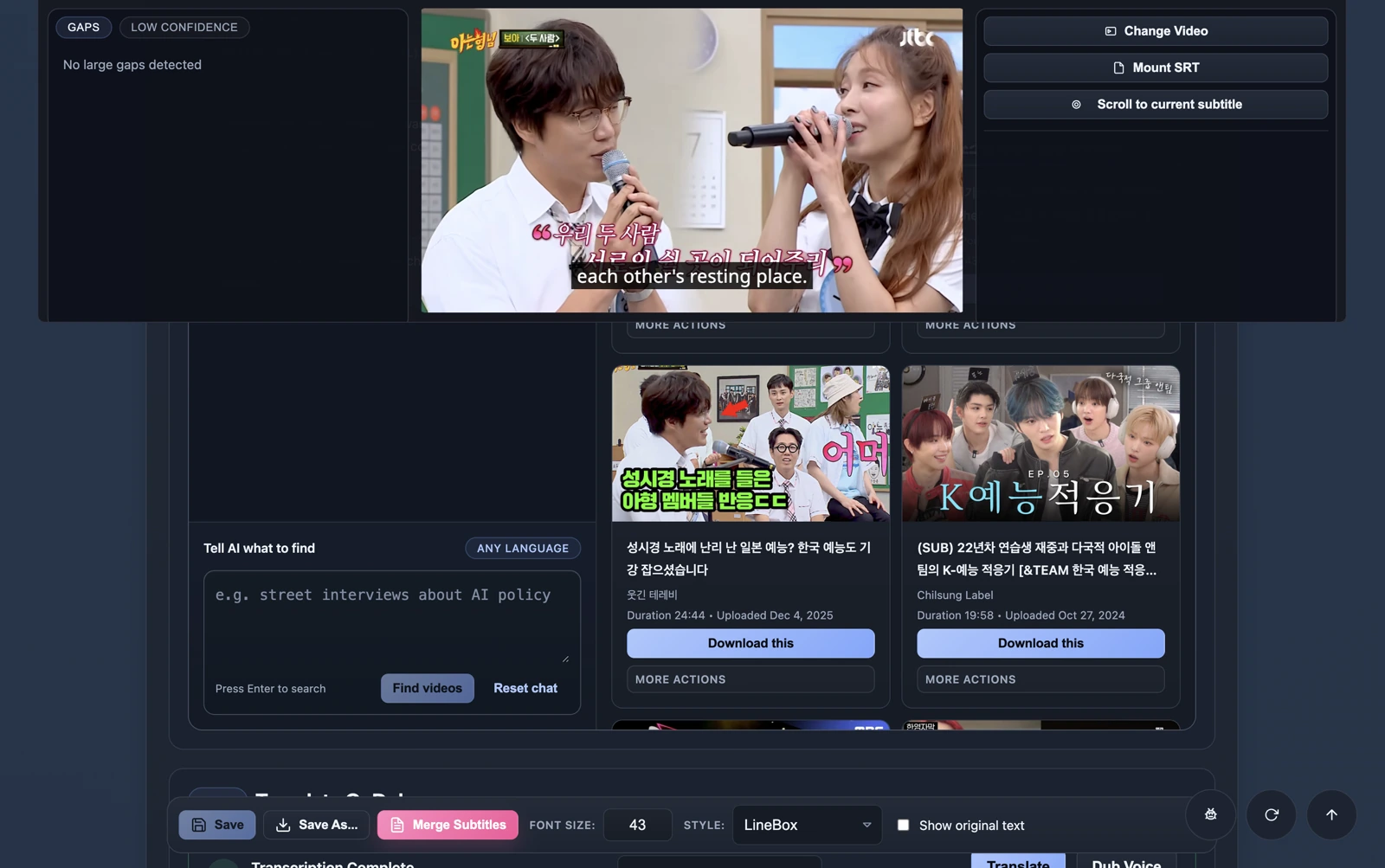
Translated subtitle lines stay tied to the video timeline, so you can review, fix, and export from one place.
Review translated subtitles in context
You can see each translated line against the video before deciding what needs editing.
Move from URL to finished output
When a video matters, keep going from download to transcription, translation, subtitle editing, and export without changing tools.
Translate subtitles for audiences across the languages your videos need.
Check translated lines in context before you publish or share them.
Download, transcribe, translate, edit, and export in one place.
Leave with an SRT file or a subtitled video you can actually use.
As each subtitle line is translated, it shows up in the player immediately. You do not have to wait for the entire file to finish first.
Translated subtitles appear line by line while the job is still running.
You can start enjoying the video in your own language right away instead of waiting for the entire translation job to finish first.
Pull the best moments out of a long video without doing it by hand.
Once you find something worth keeping, Translator can help surface standout moments and turn a full video into short clips you can actually use.
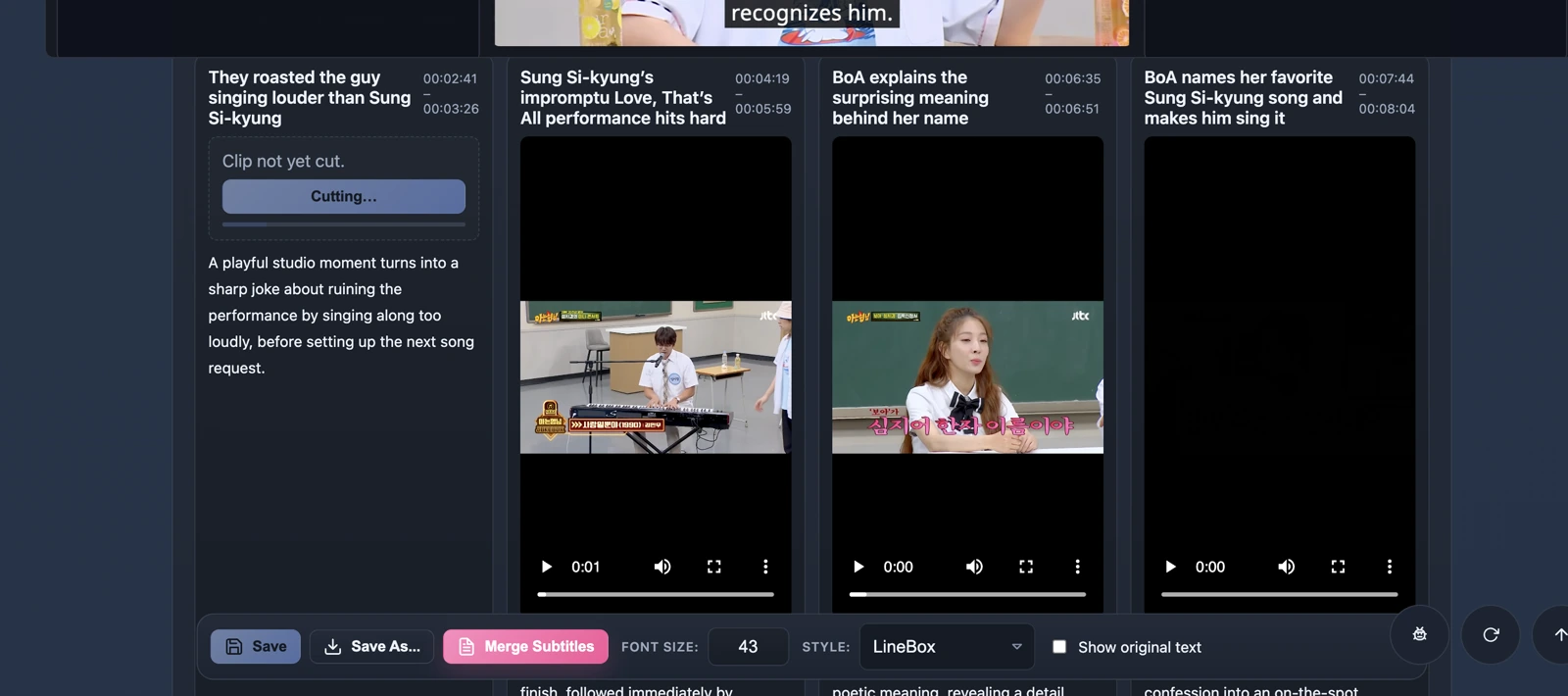
Clip candidates appear with timestamps, summaries, and previews so you can keep the parts worth sharing.
Most AI video translators stop before the subtitles are usable.
A rough translation is not enough when timing, wording, review, and export still need to happen. Translator keeps the whole subtitle job in one workflow.
Download, translate subtitles, review, and export in one app.
Translator turns internet videos into reviewed translated subtitles and finished subtitled outputs without juggling a downloader, transcription tool, translator, editor, and exporter.
Start from a video URL or local file
Paste a supported internet video URL or import a video from your machine, then keep the subtitle workflow moving in the same app.
See the downloaderGenerate translated subtitles you can review
Create subtitles, translate them, and inspect the result against the video instead of trusting detached model output.
See AI translationFix the subtitles before export
Adjust wording, timing, and subtitle files before you export SRT or burn subtitles into the finished video.
See the editorPay when AI runs, not before
The app is free to download, free to edit subtitles with, and flexible enough for power users who want credits or BYO keys.
View pricingPeople notice the difference quickly.
The product lands because it feels like a full workflow with taste, not another thin wrapper around model output.
“Two-pass translation, local processing, BYO keys, and open source is a rare combo that actually respects developers and creators.”
“The two-pass translation idea makes a lot of sense especially for video where literal translations usually sound off.”
“Love the 2 pass idea.”
Translate into 39 subtitle languages without leaving the workflow.
Start with the languages people expect, then reach across the long tail when the right video or audience needs subtitles somewhere else.
Download Translator and turn a video into translated subtitles.
Bring in a video, generate translated subtitles, review them in context, and export something clean enough to watch, share, or publish.
Video downloading and subtitle editing/merging are free • AI transcription, translation, summary, and dubbing use credits